Everything you broadcast, before and after it airs
One site on your own domain, listing what is live now, what is coming up and what is there to watch back. Every card opens the event's real page, at the address it has had since the invitation went out.
Search it, filter it, or just look
Some viewers arrive knowing the speaker, some knowing roughly when it happened, some knowing nothing at all. The catalogue has to work for all three. That is the difference between video an organisation keeps and video an audience can actually find.
One catalogue, every state
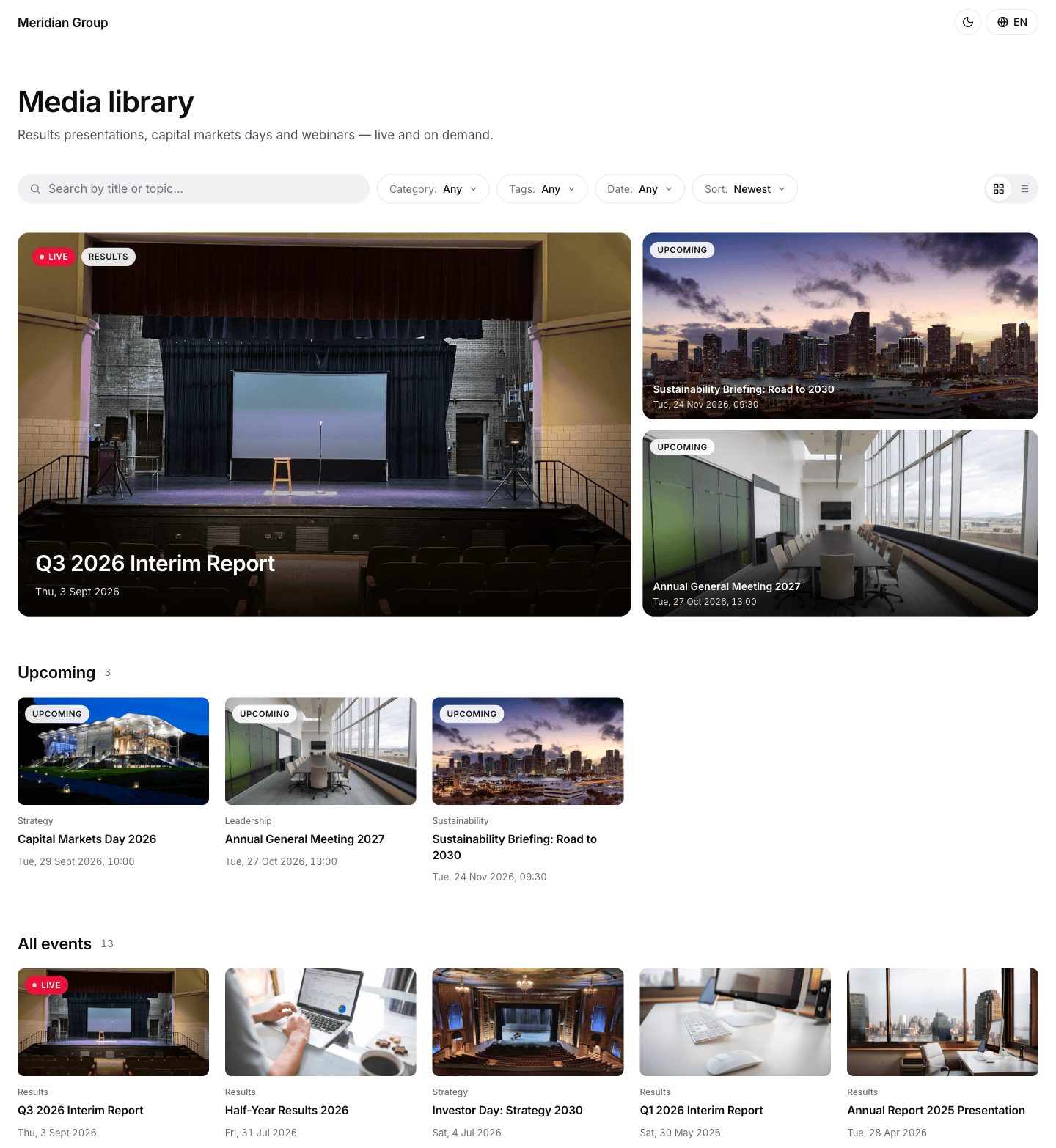
Live now, coming up and available on demand sit in the same catalogue, the live and upcoming ones badged as such. The library is worth opening the week before an event, not only the week after.
Search that finds the event
One search box runs across event titles, descriptions, tags and speaker names, so a viewer who remembers who spoke rather than what the session was called still lands on the right page.
Filters that match how you file
Browse by category, by tag or by year. You set the categories per account, and they also decide what a given library lists, so a public archive and an internal one can run off the same events.
Every card opens the whole event
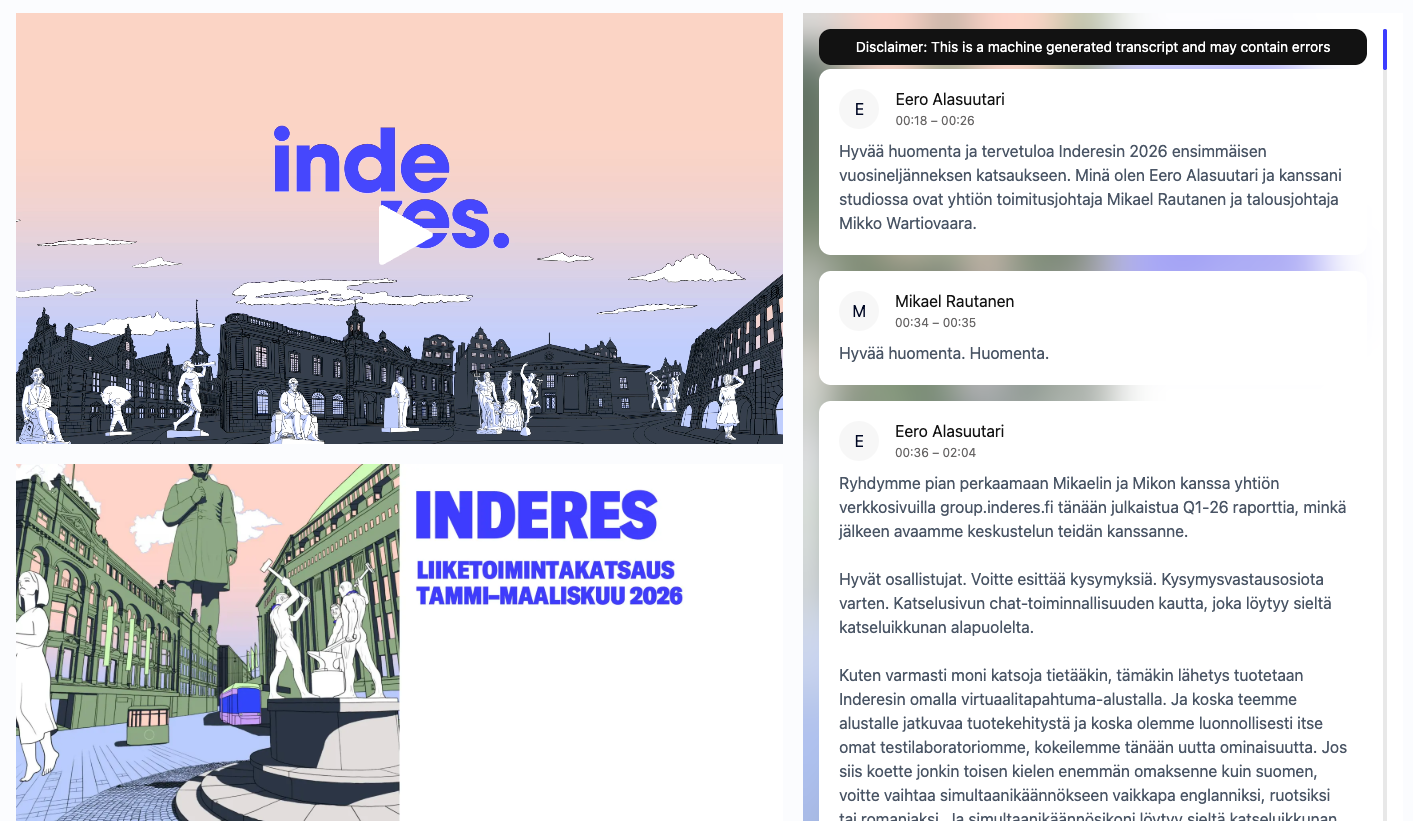
A card leads to the event's own page, at the address it has always had: the recording with its slides, its chapters and the full transcript running alongside, exactly where the live audience watched it. The library points at that page rather than keeping a copy of its own.
So a link you shared months ago still works, and nothing has to go out again when an event joins the library. The people who watched live and the people who watched a year later are one audience in one set of analytics, not two figures to add up. See Recording for how an event gets there.
A site of your own, not a page in ours
Each account's library is its own site, themed and arranged by the people who own it. Nothing about it has to look like a platform you bought. It is also the same platform that ran the events in it, so there is no separate archive product to buy, integrate and keep in sync.
Your colours, your logo
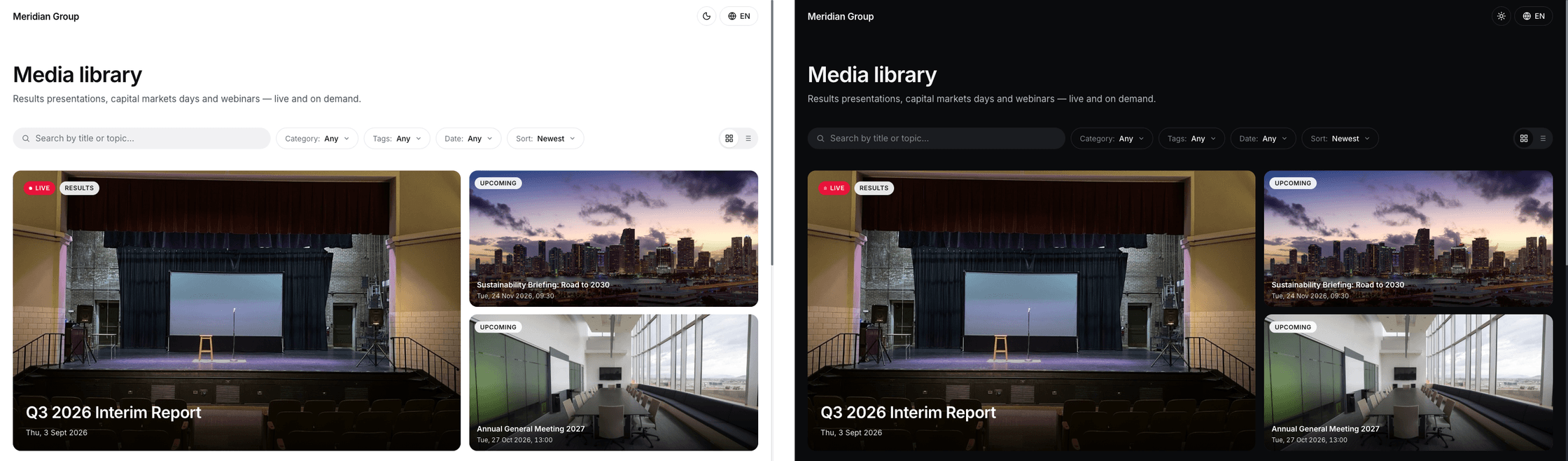
Set the library's theme and it carries through the whole site, in both light and dark. There is no Videosync palette to design around, and white-labelling takes our name out of the footer, the address bar and the automated emails.
Your domain
Run the library on an address of your own. To a visitor it is a part of your website that happens to play video, not a third-party service they were sent out to.
Your layout
Compose the page from blocks: an intro, a spotlight for the event you want seen first, upcoming events, the grid, your own text sections and a footer. Arrange them for how your audience actually browses.
Eight languages
The library's own interface ships in English, Finnish, Swedish, German, French, Spanish, Italian and Dutch, with each language on its own URL.
One recording, several ways in
The same event can be reached through your library, through an embed inside your own website, or through its own full event page. It keeps one address throughout, so there is nothing new to circulate and nothing for a latecomer to hunt down.
The library
Your branded site, where an audience that does not know what it is looking for can browse and find it.
An embed
The player dropped into a page of your own. It resizes to fit, and your own code can drive it.
The event page
The full event as it was: recording, slides, chapters, transcript and whatever the audience left behind in it. See Custom branding.
When the archive is an obligation
For public sector and other regulated organisations, this is not just convenient: it is often required. Sessions need to stay findable, retained and publicly accessible for as long as policy demands, without a separate archive project to maintain alongside the streaming.
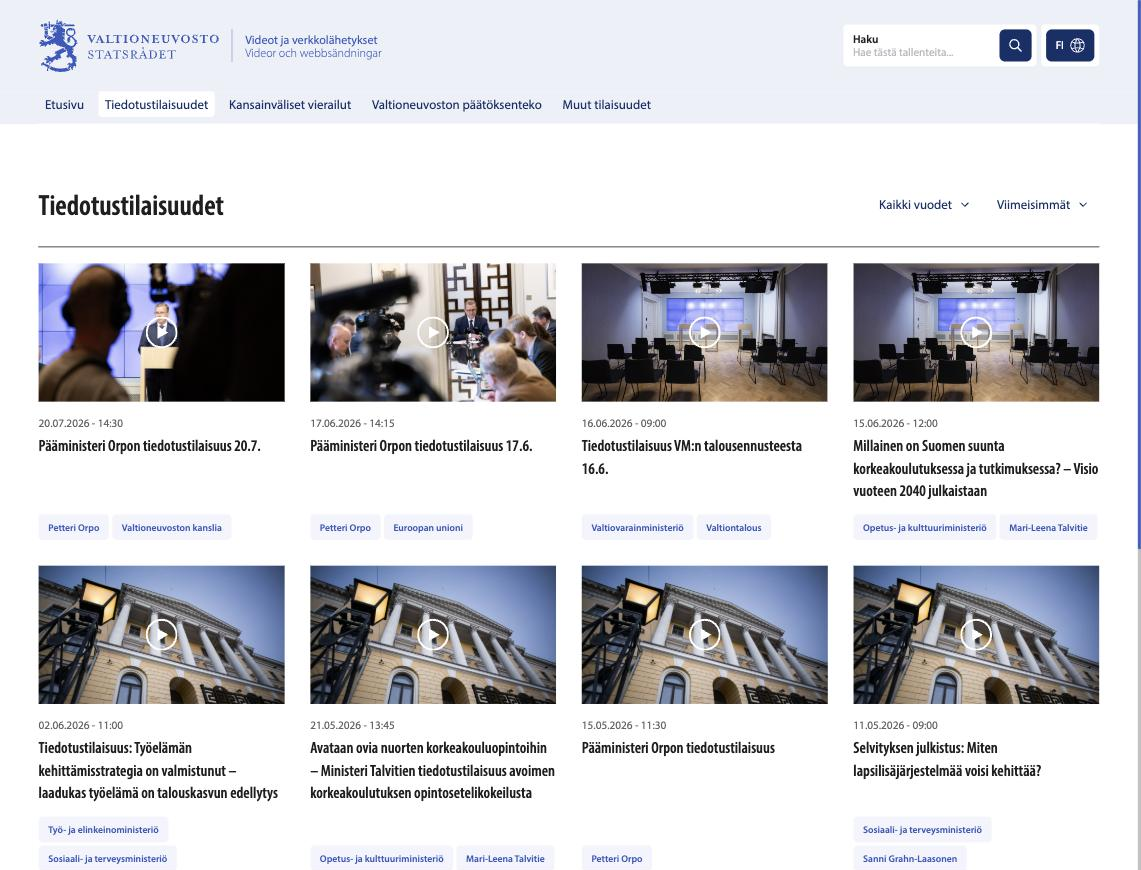
The Finnish Government's video service at video.valtioneuvosto.fi is a Videosync library. Press conferences streamed live stay there afterwards, searchable and tagged by ministry and by minister, on the Government's own address and in its own visual identity. Nothing on it announces which platform is underneath.
Videosync for the public sectorQuestions about the On-demand library
What is the difference between a recording and the On-demand library?
They are not two files. On-demand is simply what a recording is called once it is published, and it stays on the event's own page at the link you already shared. The library is a separate feature: a site of your own that gathers every one of those events in one place, so an audience can browse what you have broadcast instead of keeping track of one link per event.
Does the audience need a new link once an event is in the library?
No. The library does not copy or move anything. Each card opens the event's own page at its existing address, which is the same link that was shared for the live broadcast. Nothing new has to go out, and a link sent months ago still works.
Can the library look like the rest of our site?
Yes. You set the theme per account, so your colours and logo carry through the whole library in both light and dark, and it can run on your own domain. The Finnish Government's video service at video.valtioneuvosto.fi is a Videosync library, and nothing on it announces that.
What does the search actually search?
Search runs across event titles, descriptions, tags and speaker names, so a viewer who only remembers who spoke still lands on the right event. Every published event also carries its own full transcript on its page, so once you are there the spoken content is searchable too.
Who can see what is in the library?
Two separate things decide it. Categories decide what a given library lists, and you set them per account, so a public archive and a restricted one can run off the same events. The event's own page then decides who can actually watch. A recording carries the access settings of the live event unless you change them for the recording, and a registration wall or password still applies when a viewer arrives from a library card.
Can we put library videos on our own website instead?
Yes. You can embed any published event in your own pages with a responsive iframe, and your own code can drive the player if you need it to. The library, the embed and the event page are three ways into the same recording, not three copies of it.
See it in action
Get a personalized demo and see how Videosync can work for your organization.